Green Watercolor Splotch Clipart: Creative Uses & Design Tips
There’s a certain organic magic in watercolor. That blend of pigment and water creates textures that are impossible to replicate digitally with standard vector tools. If you’ve been searching for a way to inject that hand-painted warmth into your work, the Green Watercolor Splotch Clipart set offers a distinct solution. It’s not just about adding a green shape to your canvas; it’s about introducing a tactile, artistic element that feels authentic.
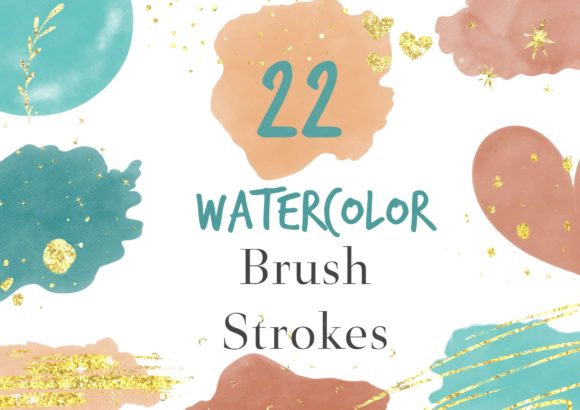
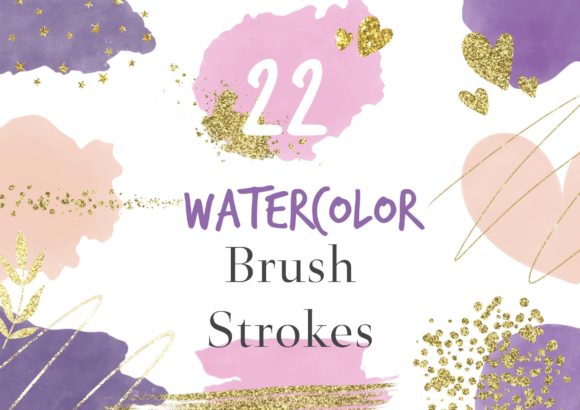
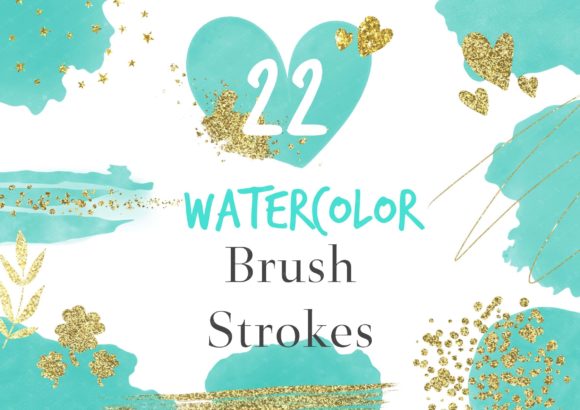
This particular collection focuses on the vibrancy of green combined with the festive shimmer of gold. It includes 22 high-resolution PNG files—specifically 12 watercolor brush strokes and 10 decorative gold glitters. Because these files utilize a transparent background, they function as versatile design assets. You can layer them over photography, stack them with text, or use them as standalone accents without worrying about masking out a white box. It’s a premium font-style asset set, designed for creators who need flexibility and quality in their toolkit.
The Visual Personality: Organic Texture Meets Digital Precision
When you look at this set, the first thing you notice is the variety. These aren't uniform, cookie-cutter shapes. They are original, hand-painted brush strokes that come in different forms—some are splatters, others are sweeping arcs. This irregularity is their strength. In a world dominated by flat, digital vectors, these textures provide a necessary visual break. They soften the sharp edges often found in modern typography and layout design.
The green palette itself is versatile. It can evoke nature, growth, freshness, or even a specific holiday theme. When paired with the gold glitter PNGs, the aesthetic shifts from earthy to luxurious. This combination works incredibly well for projects that need to balance a natural vibe with a touch of elegance. Think of a boutique spa logo or an artisanal product label. The texture adds depth that flat colors simply cannot achieve.
Strategic Applications for Designers and Entrepreneurs
Understanding where to use these assets is key to maximizing their value. As a creative professional, you need to think beyond just "decorating" a page. You should consider how texture influences brand perception and audience engagement.
Branding and Logo Design
In logo design, standing out is everything. While many brands rely on clean sans serif font combinations, incorporating a watercolor element can make a logo memorable. For example, a coffee shop or a wellness brand might use a green splotch as a background texture behind their wordmark. This creates a "badge" effect that feels handmade and authentic. It tells the customer that the brand values craftsmanship. However, readability is paramount here. Ensure your typeface—whether it is a serif font, sans serif font, or script font—has enough contrast and size to remain legible over the textured background.
Digital Content and Social Media Graphics
Social media is fast-paced. You have a split second to stop a user from scrolling. Textures create visual hierarchy. A bold green watercolor stroke can act as a highlight behind a key phrase in an Instagram post or a Pinterest pin. It draws the eye immediately to the most important information. Because the files are 300dpi high resolution, they won't pixelate even if you crop in tightly for a specific layout. This is crucial for maintaining professionalism in your web design and digital marketing efforts.
Publishing and Editorial Design
For bloggers and publishers, these clips are excellent for breaking up long blocks of text. Using a watercolor divider between sections of an article adds a rhythm to the reading experience. It feels more personal than a simple line break. If you are designing a book cover or a planner layout, these textures can frame your title or serve as bullet points, adding a unique flair to your editorial design that generic stock art cannot match.
Packaging and Product Design
Physical products benefit immensely from this style. Imagine a notebook cover, a mug, or even a t-shirt design. The Green Watercolor Splotch Clipart works beautifully for "all-over" prints or as singular focal points. For small business owners creating merchandise, these assets allow you to create professional-looking packaging design without hiring an illustrator for every single element. You can use them to create backgrounds for stickers, hang tags, or wrapping paper.
Practical Guidance for Implementation
Having a great asset is one thing; knowing how to use it effectively is another. Here is how to approach this set from a technical and strategic standpoint.
Evaluating Project Fit
Before you start, ask yourself if the "hand-painted" aesthetic aligns with your brand identity. If your brand is ultra-minimalist, tech-focused, or strictly corporate, heavy watercolor textures might clash with your existing design assets. However, if your brand leans towards organic, creative, boutique, or lifestyle themes, this is a perfect match. The texture should support your message, not distract from it.
Software and Workflow
These files are PNGs, meaning they are universally compatible. You can use them in Adobe Photoshop, Illustrator, InDesign, Canva, Procreate, or Affinity Photo. Because they have transparent backgrounds, you simply drag and drop them onto your canvas.
- Layering: Place the watercolor splotch on a layer above your background color or image.
- Blending Modes: Experiment with blending modes like "Multiply" (to darken the background through the paint) or "Screen" (to make the texture lighter). This helps integrate the digital asset into the scene naturally.
- Color Adjustment: While the set is green, you can easily adjust the Hue/Saturation in your software to match specific brand colors, though the green and gold combo is a standout feature.
Font Pairing Strategies
The typography you pair with these splotches matters. Because the watercolor is fluid and organic, it pairs best with typefaces that have some character.
- Serif Fonts: A classic serif font can add a touch of elegance and tradition, grounding the wild nature of the watercolor.
- Sans Serif Fonts: A clean, modern sans serif font provides a stark, professional contrast to the messy texture, ensuring high readability.
- Script and Handwritten Fonts: These are natural companions. A flowing script font looks like it was written directly on top of the paint, creating a cohesive, artistic look.
Licensing and Commercial Use
One of the most practical concerns for entrepreneurs is licensing. This set is designed for both personal and commercial use. You can use these assets to create physical products for sale (like mugs or shirts) or digital products (like social media templates). The only restriction usually involves reselling the raw files themselves—you must incorporate them into a new, unique design. This makes it a safe investment for your business toolkit.
Final Thoughts on Creative Assets
The difference between an amateur design and a professional one often lies in the details. It’s the subtle texture behind a headline, the organic shape that frames a logo, or the festive glitter that catches the light. The Green Watercolor Splotch Clipart set isn't just a collection of green shapes; it is a toolkit for adding warmth and personality to your projects. By using these high-quality, transparent PNGs, you bridge the gap between traditional art and digital efficiency, allowing you to create work that feels both polished and deeply human.